Most people who sign transactions on a hardware wallet believe they are not blind signing.
They reviewed the transaction. They decoded the calldata. They used a simulation tool. They were careful.
They were still blind signing.
This is the gap at the center of the $1.5 billion Bybit hack in February 2025. The signers saw one transaction. They signed another.
Understanding what blind signing actually means changes what you do every time you open Safe.
The Standard Workflow
When a transaction is proposed on Safe, the standard workflow looks like this.
Step 1. You open Safe. A transaction was proposed. You review the decoded details: a transfer, a contract call, an ownership change. It looks right.
Step 2. You want to verify. Smart. You copy the calldata and paste it into an external decoder. It confirms what the UI showed you.
Step 3. You connect your Ledger. The hardware wallet takes over as the trusted layer.
Step 4. Your Ledger shows two hashes. You approve them.
At step 4, you have signed something. You do not know what.
Where the Trust Actually Breaks
The problem is not step 4. The problem is that several things can compromise what you see long before you ever reach it.
Your Safe interface can be altered through a tampered frontend, a poisoned backend, a malicious browser extension, a hijacked DNS record, or a compromised dependency in the frontend’s supply chain. You would not know which one.
When you decoded the calldata in step 2, you pasted it from the same interface that may be compromised. The verification was circular. You confirmed the attacker’s version of the transaction using the attacker’s version of the calldata.
When you reached step 3, your Ledger could not help. For anything beyond a simple ETH transfer, hardware wallets cannot decode the transaction. They show two hashes: the domain hash and the message hash. The device protects your private key. It does not verify what the transaction actually does. It will faithfully sign whatever it was handed.
This is what blind signing actually means. It is not about carelessness. It is about a workflow with no moment where you can confirm that what the interface showed you matches what the hardware is committing to. The security layer people assume exists does not.
The Four Misconceptions
“I decoded the calldata.”
This only works if you obtained the calldata independently of the interface you are verifying. If you copied it from the same browser session as the compromised interface, you confirmed the attacker’s version of events. The decoding tool was honest. The input was not.
“I used a simulation tool.”
Simulation tools like Tenderly are useful. They are not verification. They execute against whatever calldata they receive. If that calldata came from a compromised UI, the simulation shows you what the attacker wants you to see. The output is only as trustworthy as the input.
“I am careful. I review everything.”
Bybit’s signers were careful. They reviewed everything. Three signers reviewed the same transaction and all three approved. Careful review of a compromised display is still blind signing. Vigilance cannot compensate for a workflow with no independent verification layer.
“My hardware wallet is the last line of defense.”
Hardware wallets are excellent at protecting your private key. They are not designed to decode complex calldata. They show hashes. They sign what they receive. If what they receive has been altered upstream, they will sign the altered version. The device’s security model stops at the signing layer. It does not extend to verifying what was constructed before it arrived.
What Happened at Bybit
Bybit’s signers opened Safe to approve a routine transfer to their hot wallet. The interface showed a standard token transfer. The decoded simulation looked right. The destination address looked right. Three signers reviewed it. All three approved.
Weeks earlier, attackers had socially engineered a Safe{Wallet} developer. They compromised the developer’s machine, stole AWS session tokens, and bypassed MFA to reach Safe’s infrastructure. From there, they injected malicious JavaScript into the Safe{Wallet} UI. The code had one job: when Bybit initiated a transaction from their cold wallet, silently replace the payload. What each signer actually approved was a delegatecall that replaced the Safe’s implementation contract with one the attacker controlled. Each Ledger showed a hash. They approved it. $1.5 billion was gone.
The attack did not require the signers to recognize an unfamiliar contract address. It did not rely on a convincing phishing page. It swapped the operation itself. A routine transfer became a delegatecall that rewrote the Safe. Everything the signers reviewed was true of a transaction they were never going to send.
What Real Verification Requires
Real verification requires three things that the standard workflow does not provide.
Isolation from the browser. If your verification tool runs in the same browser session as the compromised interface, it is not an independent check. Verification has to happen in a separate, isolated environment, on a different device entirely.
Cryptographic proof of transaction state. State should be verified against multiple independent nodes, not a single RPC endpoint that a compromised infrastructure can also control. Multi-node consensus, with Merkle proofs checked locally, removes the ability for any single provider to lie.
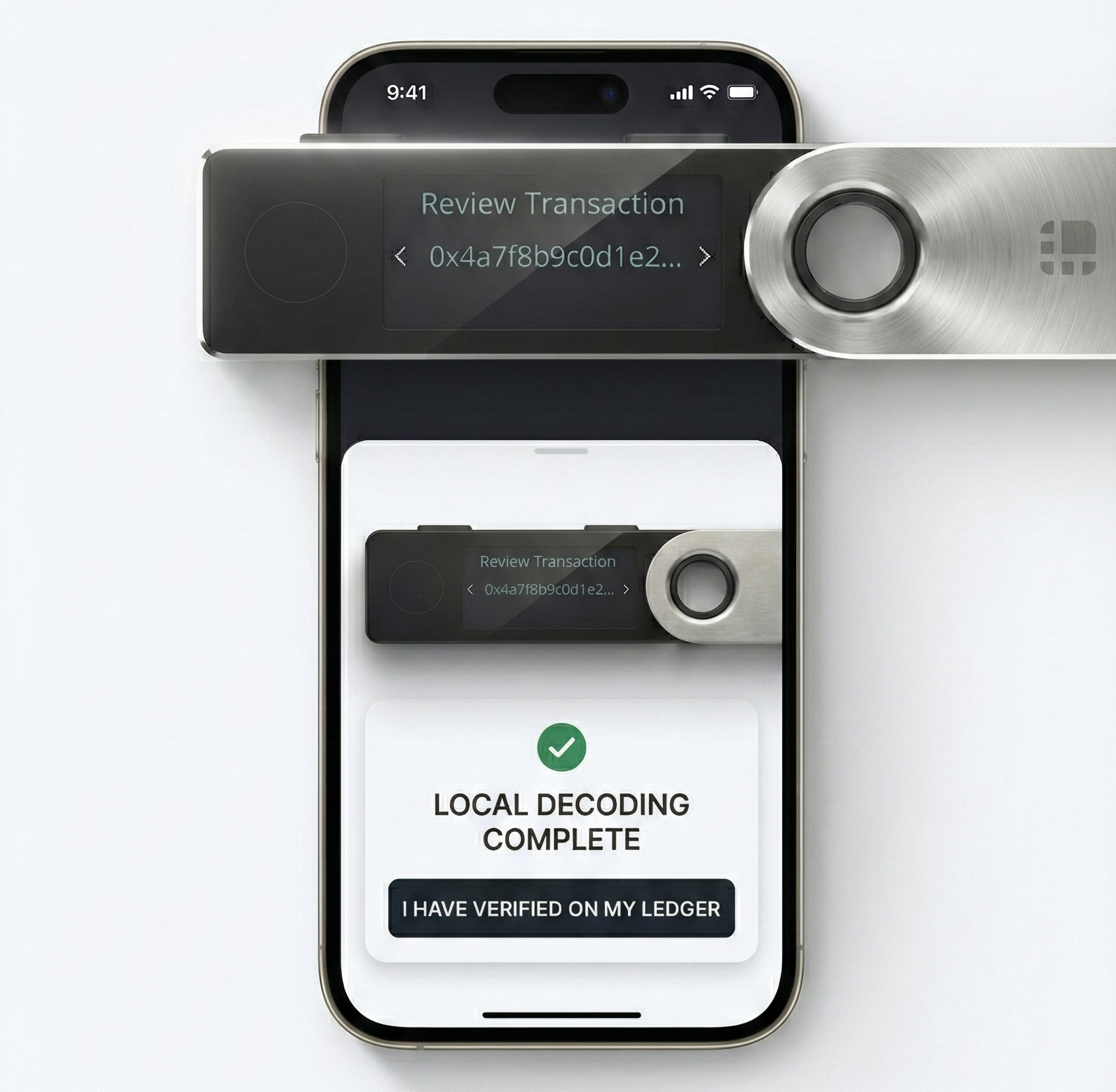
Hardware parity before signing. You should see exactly what your Ledger screen will display before you touch it. The moment of signing should be confirmation of something you have already verified, not the first moment you learn what you are committing to.
Without all three, there is a gap. The gap is where the attacks live.
What Safe OpenSig Does
Before you touch your Ledger, Safe OpenSig simulates your Safe transaction locally on your mobile phone, isolated from your desktop and browser. It verifies state against multiple independent nodes using cryptographic Merkle proofs. And it shows you a pixel-perfect mirror of exactly what your Ledger screen will display.
The hash gets a face. You know what you are signing before you sign it.
If Bybit’s signers had run this workflow, step 3 would have looked different.
Operation: DELEGATECALL. Not a transfer. New implementation: attacker’s contract address.
That is a signing-ending discrepancy. The transaction stops there.
What OpenSig Does Not Solve
OpenSig tells you exactly what you are about to sign. It does not tell you whether the contract you are signing to is the real protocol you meant to interact with.
If a phishing site hands you an approval transaction, OpenSig will faithfully show the approval target, the amount, the token. Whether that target is the legitimate router or an imposter address is a different question, and a different class of defense: address books, hardware allowlists, on-chain name services.
OpenSig answers one question. Does the hardware commit match what your verification tool showed you. For attacks that live in the gap between display and signing, that is enough. For attacks that live in the gap between “this address” and “is this the right address,” you need something else.
A Real Layer to Verify Against
The people who signed for Bybit were not negligent. They used hardware wallets. They reviewed transactions. They had a proper multisig setup. The workflow failed them. There was no moment in the standard process where what the interface showed them could be confirmed to match what the hardware was about to commit to.
The goal of Safe OpenSig is not to make signers more careful. It is to give careful signers something real to verify against.
Safe OpenSig is free and open source. Download the app or learn how it works.